Select Help DMP and DSC Buttons.
If your alarm system manual and videos are not on our site, search YouTube or Google for help.
DSC Troubleshooting
|
|
|
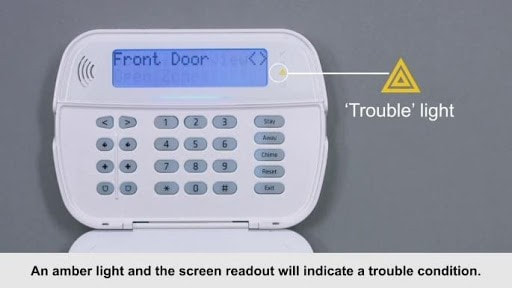
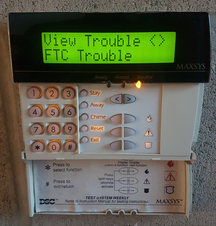
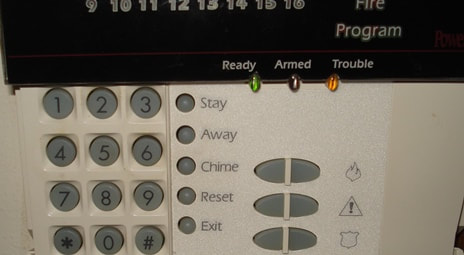
- Go to your DSC keypad and press [*][2]. Look at the number that lights up or appears on the screen, then match it to the list below to find out what is wrong:
- How to fix Code 1: The main panel backup battery is dead or dying. If the house recently lost power, leave the system alone. The battery can take up to 24 hours to recharge and clear the light on its own. If the battery is older than 3–5 years or experiences many power outages, it can no longer hold a charge and must be replaced inside the main metal control box.
- How to fix Code 2: AC Failure on the panel. The main electrical transformer plug is disconnected, the breaker is tripped, or your house has lost power. If the alarm panel has AC power, it could also indicate that the system has another problem. Request a service to check. Call (423) 870-3272 and select option 2.
- How to fix Code 3 or Code 4 (Telephone/Communication Issues). If you switched or canceled your landline, the panel is still looking for the old traditional copper lines. Most alarm systems are compatible with new Spectrum, Comcast, AT&T, and other phone services. Usually, no problem with EPBFi phone service. If EPBFi is not your phone provider, you will need a cellular, Wi-Fi, or network communicator for the alarm panel. Call 423-870-3272 and select option 2 to request it.
- How to fix Code 5 - Zone Fault: Press [5] to see which specific sensor is malfunctioning or broken. If the problem persists after checking the sensor, please request a service technician to check the device.
- How to fix Code 6 - Zone Tamper: Press [6] to see which sensor has an open or loose plastic cover. If the problem persists after checking the sensor, please request a service technician to check the device.
- How to fix Code 7 - Wireless Low Battery: Press [7] to see which wireless door/window sensor needs a new battery. If the problem persists after replacing the batteries, please request a service technician to check the device.
- How to fix Code 8 (Loss of Time) after a power outage. The master code is required by entering a command sequence:
- Press [*][6] and then enter your [Master Code].
- Press [1].
- Enter the time in 24-hour military format (HH:MM). Example: 2:30 PM is 1430.
- Enter the date in Month/Day/Year format (MM/DD/YY). Example: July 8, 2026, is 070826.
- Press [#] to save and exit. The yellow light will turn off immediately if this was the only issue.